Honest comparison

Livaro vs IPTV Smarters:
served, or self-service?

IPTV Smarters is one of the most widely used players around, and deservedly so: it runs almost everywhere and gives you a complete toolbox. Livaro makes a different choice. It is built to feel like a streaming service: content is presented to you, with artwork, rows and a guide, rather than managed by you. Which one fits depends on how you like to watch.

Both apps play your own playlist and provide no content. IPTV Smarters is a product of its own developer; we compare philosophy, not quality.
The core difference

Presented, or managed

Open a streaming service and you are shown things: a spotlight at the top, rows of artwork, a place that knows where you stopped. That is the experience Livaro is built around. Your playlist is turned into a home screen with a hero banner, genre folders, posters and descriptions, and a continue-watching row that follows you across devices. IPTV Smarters leans more towards the classic player model: a capable menu structure where you navigate to your content yourself. Neither is wrong; they are different answers to the same question.

Choose Livaro if

You want your evening to start on the sofa, not in menus. Artwork, a programme guide, profiles and a kids lock, one activation for life, and a library that looks the same on TV, phone and PC.

Choose IPTV Smarters if

You want a proven all-rounder that runs on nearly every platform and gives you many knobs to configure yourself. It is a solid, widely trusted choice with a large user base.

The Livaro experience

What "feels like a streaming service" means

Livaro reads your playlist and does the presentation work for you: films and series get posters, ratings and summaries, channels get folders and a day-by-day guide, and the home screen surfaces what you were watching. You never sort anything by hand unless you want to.
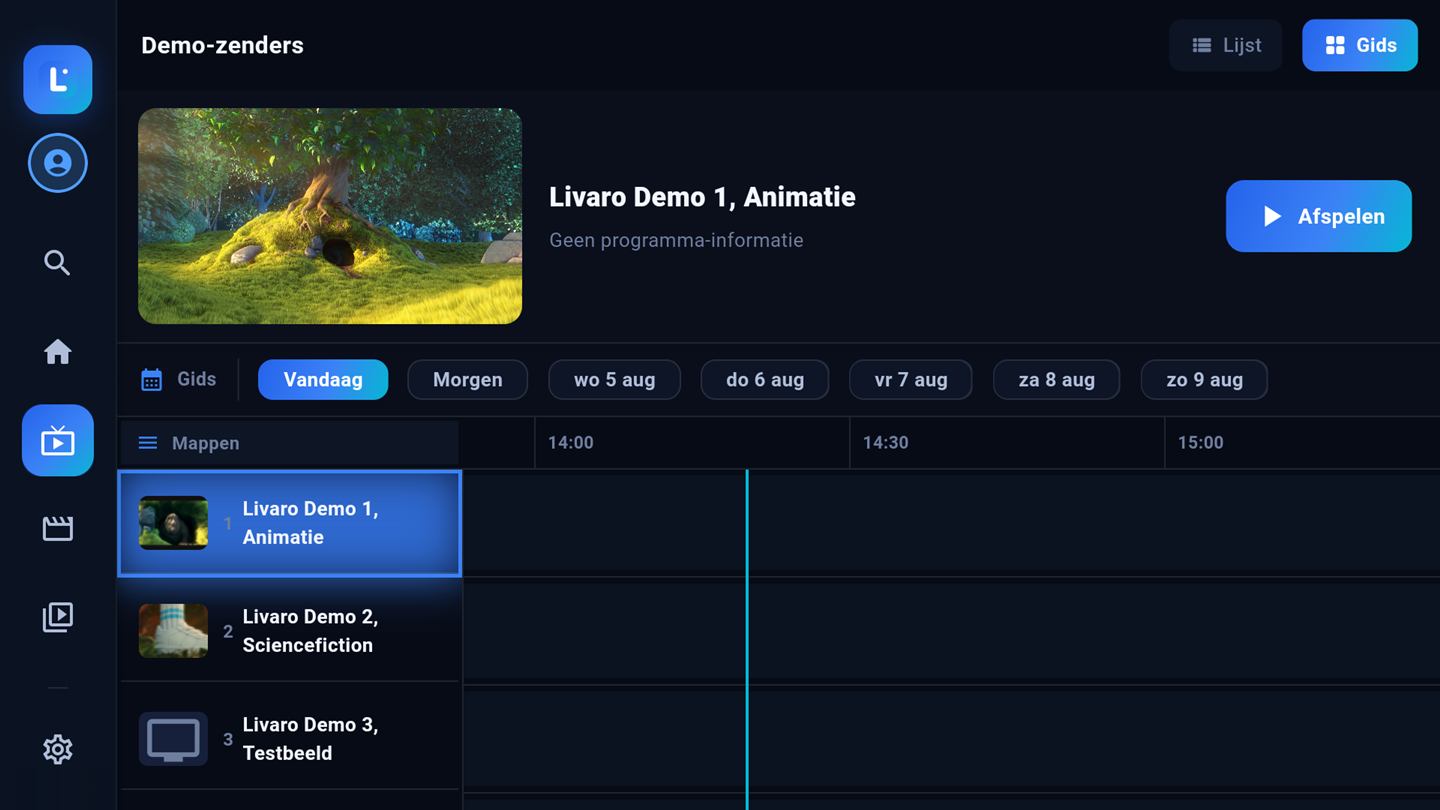
Livaro programme guide
Screenshots show royalty-free demo content (Blender Foundation films, CC-BY).
FAQ

Common questions

Can I switch from IPTV Smarters to Livaro?

Yes, and you keep everything that matters: your playlist comes from your provider, not from the app. Enter the same M3U link or Xtream Codes login in Livaro and your content appears there too.

Does Livaro play the same playlists?

Yes. Both apps speak the same formats: M3U links and Xtream Codes. If your line works in one, it works in the other.

What does Livaro cost compared to alternatives?

Livaro is a one-time 12.99 euro per device, for life, after a free trial. Pricing of other apps is up to their developers and can change; check their websites for current details.

Ready to activate the player?

Activate your device in minutes: 12.99 euro for life, or 4.99 per year.

Activate device →