Android TV · Google TV

Your playlist on the big screen,
built for the remote.

Livaro turns an M3U link or Xtream Codes login into a television experience: a programme guide you can read from the sofa, folders for your channels, films and series with artwork, and navigation that never asks for a mouse.

Livaro provides no channels, movies or series, you use your own provider.
Live TV

A guide that feels like television

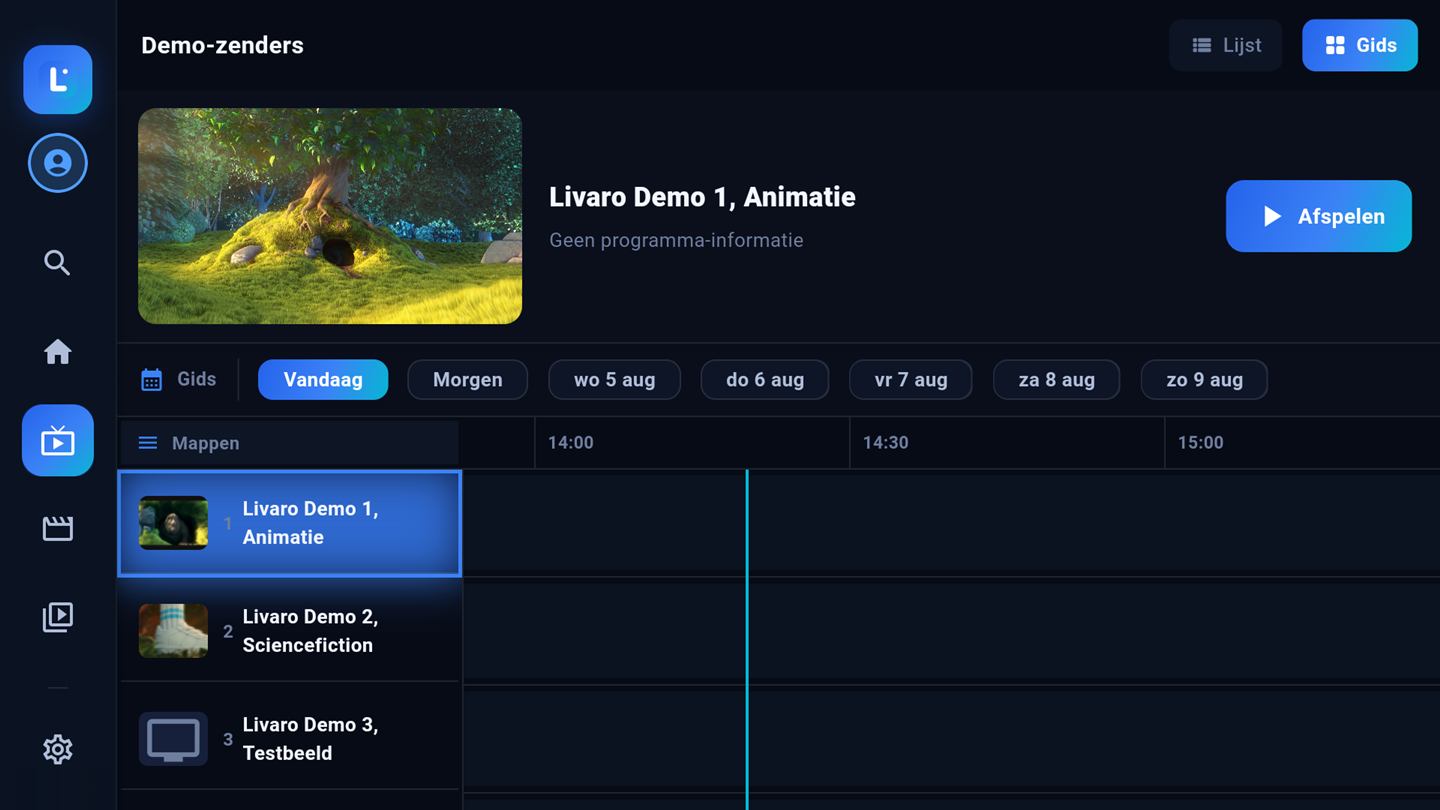
Channels live in folders you arrange yourself, with a day-by-day programme guide next to them. Jump between days with the remote, mark favourites, and press play, that is the whole workflow.

Livaro programme guide on Android TV
Screenshots show royalty-free demo content (Blender Foundation films, CC-BY).
Films and series

A library, not a list

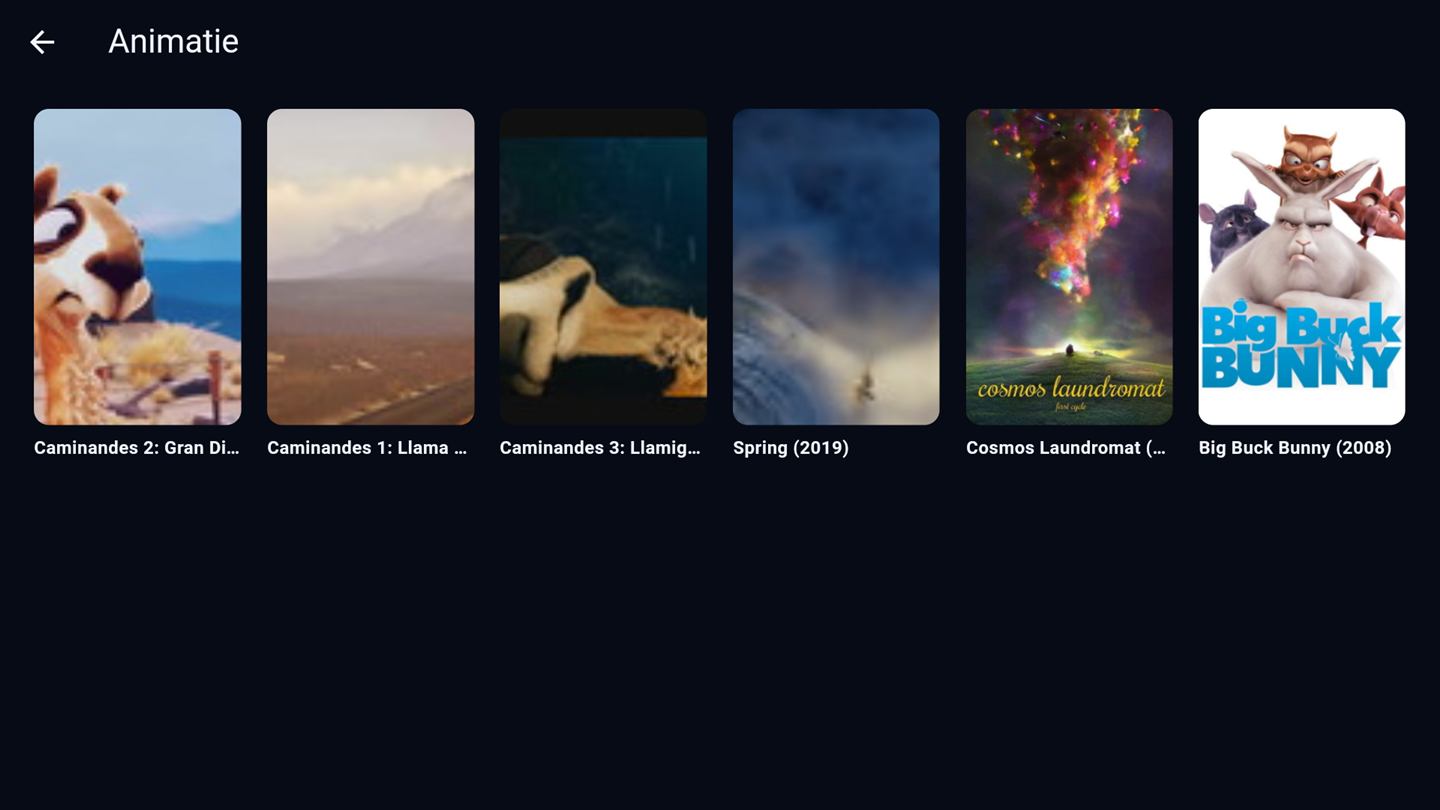
Livaro reads your playlist and sorts it into genres with posters, ratings and descriptions. A film page shows what you are about to watch and remembers where you stopped, on every device you activate.

Film folder with posters in Livaro
Getting started

Installed in minutes

  1. Install Livaro
    Open the Play Store on your Android TV or Google TV and install Livaro.
  2. Note the MAC and Device Key
    Livaro shows them on screen the first time you open the app.
  3. Link your playlist
    Go to livaroplayer.com/upload, enter the MAC and Device Key, and add your M3U link or Xtream Codes.
  4. Refresh on the TV
    Press refresh in the app and your channels, films and series appear.
FAQ

Android TV questions

Does Livaro work on Google TV devices like the Chromecast?

Yes. Google TV is Android TV with a different launcher, and Livaro runs on both, including Chromecast with Google TV, Mi Box and Android TV televisions.

Does Livaro player work on a Fire TV Stick?

Fire TV runs Amazon's own version of Android and Livaro player is not published in the Amazon Appstore, so there is no supported installation route today. On Android TV and Google TV devices, including Chromecast with Google TV, it installs straight from the Play Store.

Do I need a mouse or keyboard?

No. The whole interface is designed for the directional pad on your remote, including search and the programme guide.

Is the activation tied to this one TV?

An activation is per device, for life. Your playlist and watch progress sync between activated devices, so the TV and your phone stay in step.
Ready to activate the player?

Activate your device in minutes: 12.99 euro for life, or 4.99 per year.

Activate device →